
Commercial Golf Course & driving range
Objective and outcome of the task
This task was to fly over a commercial 9-hole golf course & driving range, and to gather survey quality images to be used by a surveying practice in developing a pre-development planning survey.
The mapping missions were flown as planned and without any technical or operational issues. The 2D maps presented below show some variation in site elevation and in the broad characteristics such as vegetation & feature colours when zoomed out, but most of the differences are only visible when zoomed in.
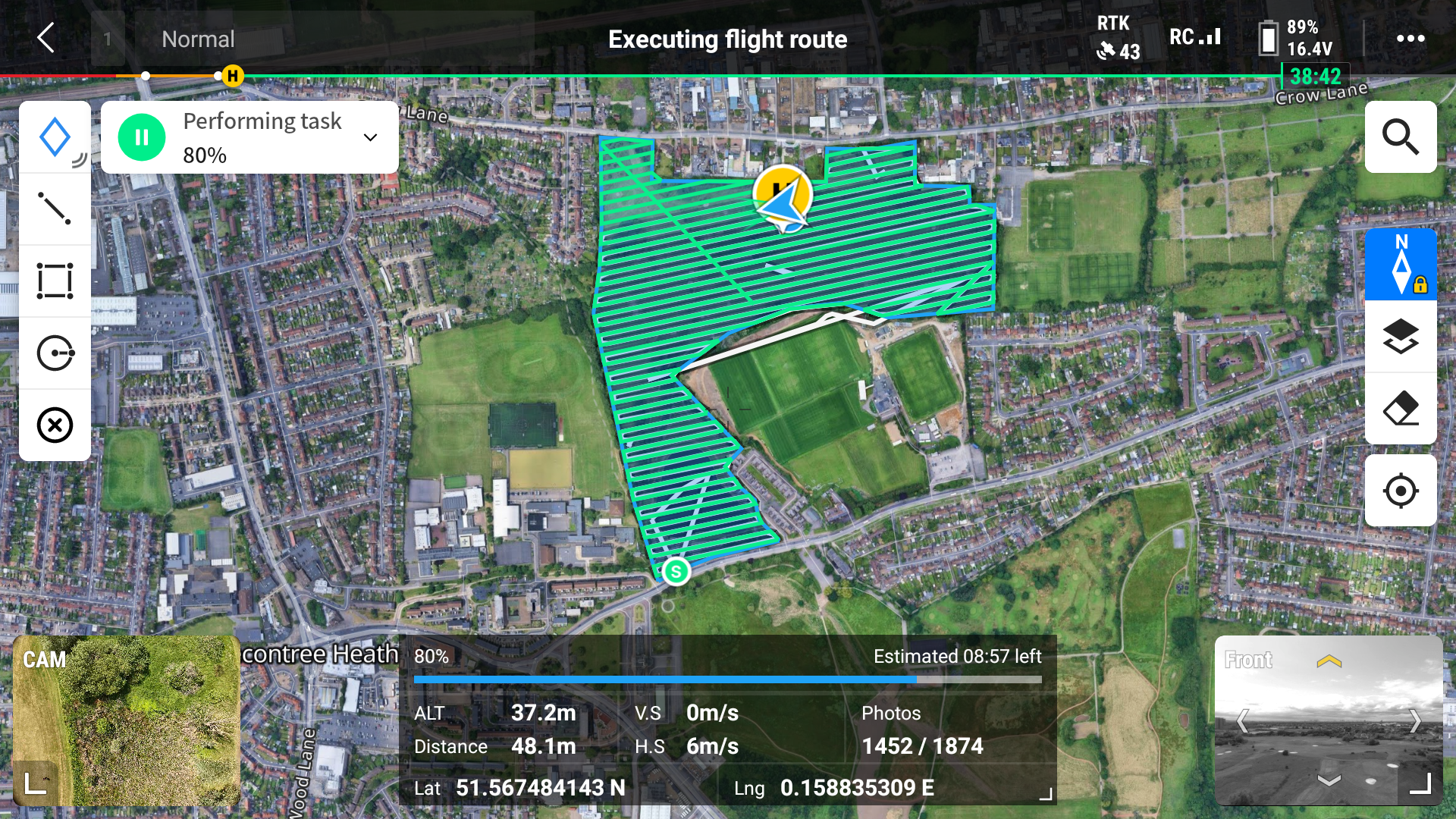
The ortho mission took just under one & a half hours (including several battery & memory card changes) to cover 210,000 sqm (21 hectares/52 acres) capturing approx 1900 photos.
Mission plan - ortho only flight at 37m
Ground Control & Check Points
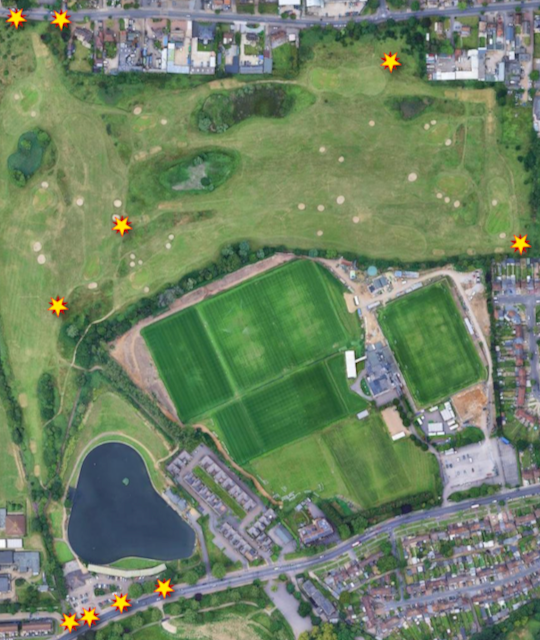
The "conventional" surveyor on site (measuring the site boundary for several weeks!) had marked six GCP/CPs on the hard surfaces surrounding the site including the street pavements to the north and south of the site. Four additional GCP/CPs were laid on the grass of the course to improve geo-referencing of the complete site.
GCP & CPs
Photogrammetry & geo-referencing
The raw drone survey images and GCPs were processed using Reality Capture & QGIS, taking just over 5 hours of processing time to create the ortho photo & DTM and an hour on QGIS to create the contour map, and running on a Windows 11 PC with a 32-core Intel Core i9-14900 processor, 64GB of RAM and an Nvidia 4060 GPU.
The ten GCP/CPs were split into two sets - the majority were used as GCPs to geo-reference the modelling and prior to creating outputs from the geo-referenced model the second set (four check points in total, three on the northern & southern boundaries and one in the middle of the course) were used as CPs to check the accuracy/precision of the geo-referencing.
The raw drone survey images and GCPs were processed using Reality Capture & QGIS, taking just over 5 hours of processing time to create the ortho photo & DTM and an hour on QGIS to create the contour map, and running on a Windows 11 PC with a 32-core Intel Core i9-14900 processor, 64GB of RAM and an Nvidia 4060 GPU.
2D Map outputs
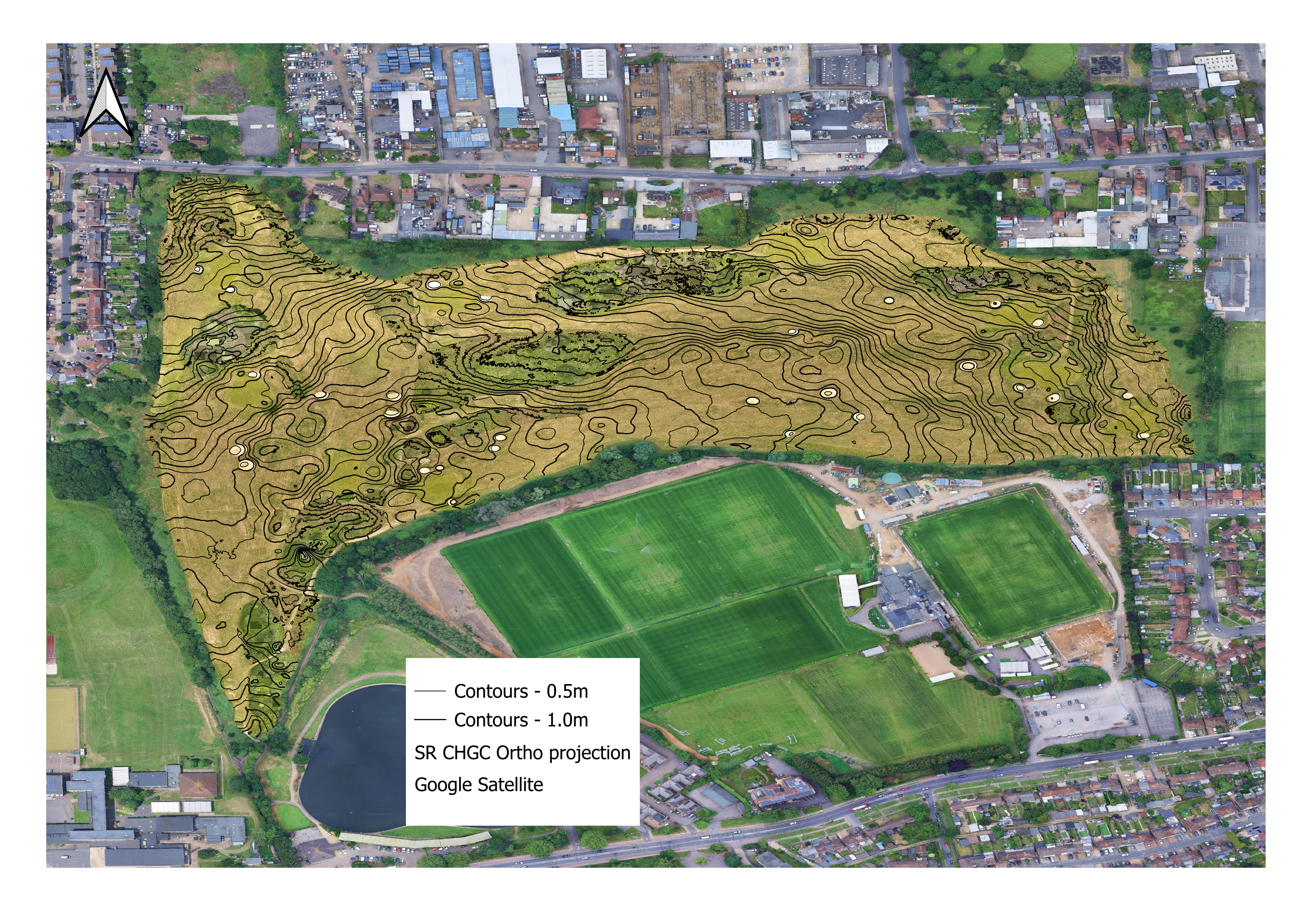
A 2D orthophoto and digital terrain model (DTM) was output by Reality Capture as GeoTIFF files. The orthophoto GeoTIFF was used to create a layer in QGIS, then contour lines were extracted from the DTM to create another layer using a QGIS built-in function and over-layed onto the orthophoto image. A Google Maps base-layer was added for context and to indicate the precision of the raw drone survey images & photogrammetry processing.
Drone survey deliverable output orthophoto plus contour lines

If you are interested in any of our services click here to email us
Airborne Insights is a trading name of Logistics Partners Consultancy Limited